Am WE kam unser Brandson - Bewässerungscomputer Smart mit WLAN und 2 Ausgänge.

Im Gegensatz zu vielen Bewertungen im Amazon ließ sich das Gerät direkt in das WLAN-Netz aufnehmen, auch hatte
ich bis heute keine WLAN Abbrüche.
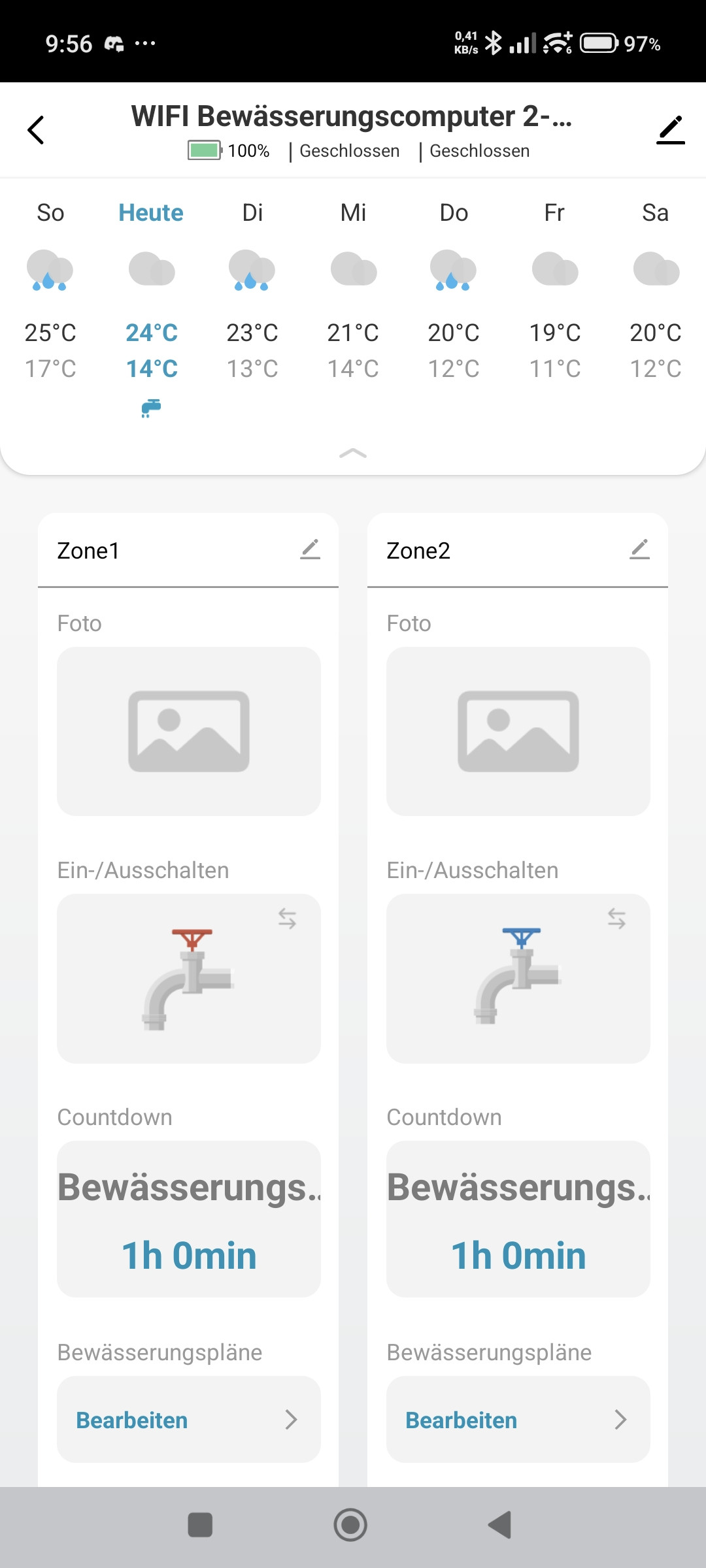
Bedient wird der Automat mit der Tuya App, die wie ich finde recht gut gemacht ist für den Automaten.
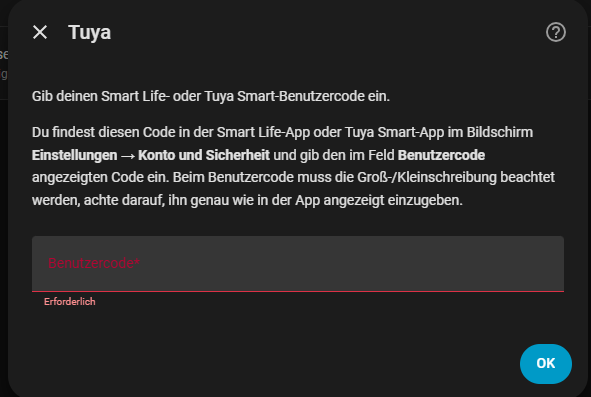
Im Home Assistanten einfach die Tuya Integration Installieren und euren Benutzercode eingeben.
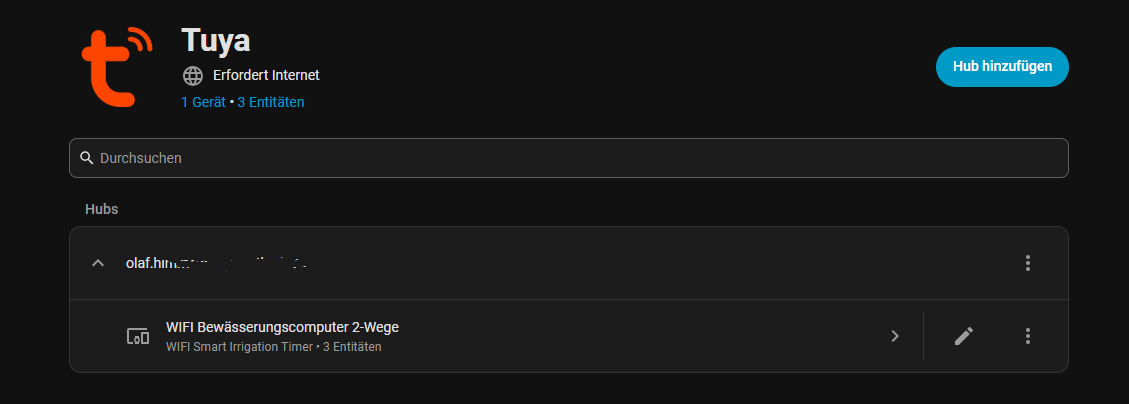
Jetzt stehen euch die Sensoren zu Verfügung…
Hier meine erste Bewässerungsautomation, die wird sicher noch deutlich verfeinert, diese wurde mit Hilfe einer KI erstellt.
alias: Gartenbewässerung PRO
description: Intelligente wetterabhängige Gartenbewässerung
triggers:
- at: "05:00:00"
id: b1_morgen
trigger: time
- at: "06:05:00"
id: b2_morgen
trigger: time
- at: "21:00:00"
id: b1_abend
trigger: time
conditions:
- condition: state
entity_id: input_boolean.bewaesserung_aktiv
state: "on"
- condition: template
value_template: >
{{ states('weather.weather_fusion_ai_home') not in ['rainy', 'pouring',
'lightning-rainy'] }}
- condition: template
value_template: >
{{ state_attr('weather.weather_fusion_ai_home', 'temperature') | float(0)
> 12 }}
- condition: template
value_template: >
{{ state_attr('weather.weather_fusion_ai_home', 'wind_speed') | float(0) <
25 }}
- condition: template
value_template: >
{{ state_attr('weather.weather_fusion_ai_home', 'humidity') | float(0) <
90 }}
actions:
- variables:
temperatur: >
{{ state_attr('weather.weather_fusion_ai_home', 'temperature') |
float(20) }}
niederschlag: >
{{ state_attr('weather.weather_fusion_ai_home', 'precipitation') |
float(0) }}
laufzeit: |
{% if temperatur < 20 %}
00:20:00
{% elif temperatur < 28 %}
00:45:00
{% else %}
01:10:00
{% endif %}
- condition: template
value_template: |
{{ niederschlag | float(0) < 0.8 }}
- choose:
- conditions:
- condition: trigger
id: b1_morgen
sequence:
- target:
entity_id: switch.wifi_bewasserungscomputer_2_wege_schalter_1
action: switch.turn_on
- delay: "{{ laufzeit }}"
- target:
entity_id: switch.wifi_bewasserungscomputer_2_wege_schalter_1
action: switch.turn_off
- conditions:
- condition: trigger
id: b2_morgen
sequence:
- target:
entity_id: switch.wifi_bewasserungscomputer_2_wege_schalter_2
action: switch.turn_on
- delay: "{{ laufzeit }}"
- target:
entity_id: switch.wifi_bewasserungscomputer_2_wege_schalter_2
action: switch.turn_off
- conditions:
- condition: trigger
id: b1_abend
sequence:
- target:
entity_id: switch.wifi_bewasserungscomputer_2_wege_schalter_1
action: switch.turn_on
- delay: "{{ laufzeit }}"
- target:
entity_id: switch.wifi_bewasserungscomputer_2_wege_schalter_1
action: switch.turn_off
mode: queued
max: 20
Ihr müsst aber zusätzlich einen “boolean” Helfer erstellen, das sollte auch mit der Hilfe der KI kein Problem für euch sein.
Danach habe ich dann noch diesen Kachel-Block erstellen lassen:
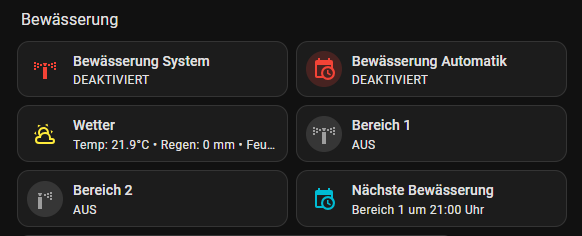
type: grid
columns: 2
square: false
cards:
- type: custom:mushroom-template-card
primary: Bewässerung System
secondary: >
{% if is_state('switch.wifi_bewasserungscomputer_2_wege_schalter_1','on')
or is_state('switch.wifi_bewasserungscomputer_2_wege_schalter_2','on') %}
AKTIV
{% else %}
DEAKTIVIERT
{% endif %}
icon: mdi:sprinkler-variant
icon_color: >
{% if is_state('switch.wifi_bewasserungscomputer_2_wege_schalter_1','on')
or is_state('switch.wifi_bewasserungscomputer_2_wege_schalter_2','on') %}
green
{% else %}
red
{% endif %}
tap_action:
action: none
hold_action:
action: none
- type: custom:mushroom-template-card
entity: input_boolean.bewaesserung_aktiv
primary: Bewässerung Automatik
secondary: >
{{ 'AKTIVIERT' if is_state('input_boolean.bewaesserung_aktiv','on') else
'DEAKTIVIERT' }}
icon: mdi:calendar-clock
icon_color: >
{{ 'green' if is_state('input_boolean.bewaesserung_aktiv','on') else 'red'
}}
tap_action:
action: toggle
hold_action:
action: more-info
- type: custom:mushroom-template-card
entity: weather.weather_fusion_ai_home
primary: Wetter
secondary: >
Temp: {{ state_attr('weather.weather_fusion_ai_home','temperature') }}°C •
Regen: {{ state_attr('weather.weather_fusion_ai_home','precipitation') |
float(0) }} mm • Feuchte: {{
state_attr('weather.weather_fusion_ai_home','humidity') }}%
icon: mdi:weather-partly-cloudy
icon_color: >
{% set rain = state_attr('weather.weather_fusion_ai_home','precipitation')
| float(0) %} {% if rain > 1 %}
blue
{% elif rain > 0.2 %}
light-blue
{% else %}
yellow
{% endif %}
tap_action:
action: more-info
- type: custom:mushroom-template-card
entity: switch.wifi_bewasserungscomputer_2_wege_schalter_1
primary: Bereich 1
secondary: >
{{ 'AN' if
is_state('switch.wifi_bewasserungscomputer_2_wege_schalter_1','on') else
'AUS' }}
icon: mdi:sprinkler-variant
icon_color: >
{{ 'blue' if
is_state('switch.wifi_bewasserungscomputer_2_wege_schalter_1','on') else
'grey' }}
tap_action:
action: toggle
hold_action:
action: more-info
- type: custom:mushroom-template-card
entity: switch.wifi_bewasserungscomputer_2_wege_schalter_2
primary: Bereich 2
secondary: >
{{ 'AN' if
is_state('switch.wifi_bewasserungscomputer_2_wege_schalter_2','on') else
'AUS' }}
icon: mdi:sprinkler
icon_color: >
{{ 'green' if
is_state('switch.wifi_bewasserungscomputer_2_wege_schalter_2','on') else
'grey' }}
tap_action:
action: toggle
hold_action:
action: more-info
- type: custom:mushroom-template-card
primary: Nächste Bewässerung
secondary: |
{% set h = now().hour %} {% set m = now().minute %}
{% if h < 5 %}
Bereich 1 um 05:00 Uhr
{% elif h < 6 or (h == 6 and m < 5) %}
Bereich 2 um 06:05 Uhr
{% elif h < 21 %}
Bereich 1 um 21:00 Uhr
{% else %}
Bereich 1 morgen um 05:00 Uhr
{% endif %}
icon: mdi:calendar-clock
icon_color: cyan
tap_action:
action: none
hold_action:
action: none
grid_options:
columns: 15
rows: auto
So kann ich die Bewässerung auch Manuell auslösen und sehe auch ob sie läuft und wann sie wieder läuft.